#013: Logs are not reports
I use mrj to automatically merge dependency upgrade pull requests across a bunch of repositories, both for personal projects and at work. Over time, I’ve relied on its reporting features more and more, which exposed a few shortcomings. In the process of fixing them, I ended up with a clearer sense of why logs and reports want different shapes.
A log-shaped report
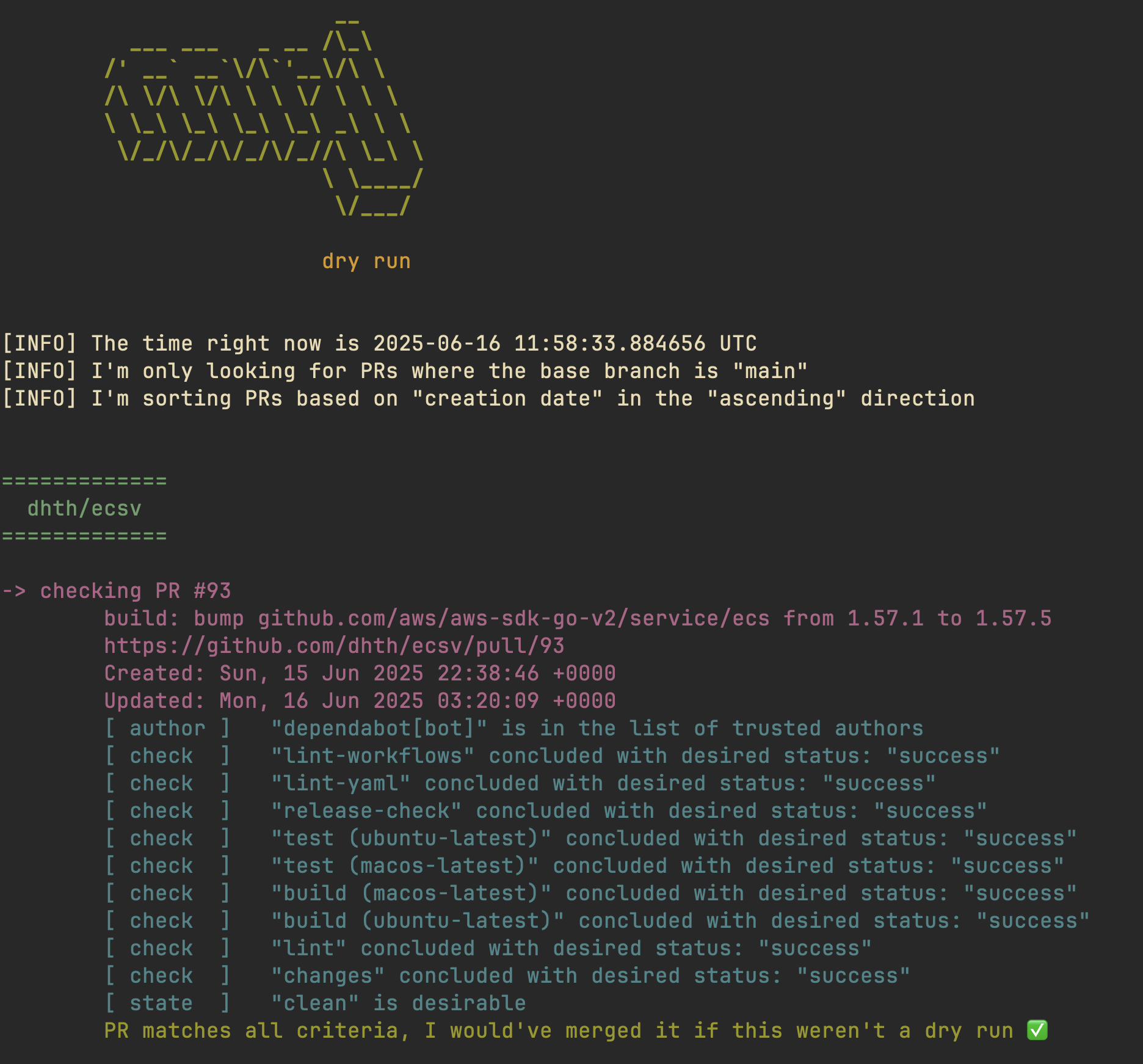
I originally wrote mrj as a simple command line application that printed
detailed run logs to stdout. That is the kind of visibility you want from a CLI
app that is automating actions for you. The logs show exactly what it is doing
and why.
I did anticipate early on that I would want to view activity from previous runs
of mrj in a single place. So I structured it as a pipeline that would do the
work of interacting with GitHub’s APIs, and then produce output representing the
results. These results could then be printed to stdout and, optionally, written
to a report. The problem was that the report was not really a report. It was
just terminal output rendered in a browser.
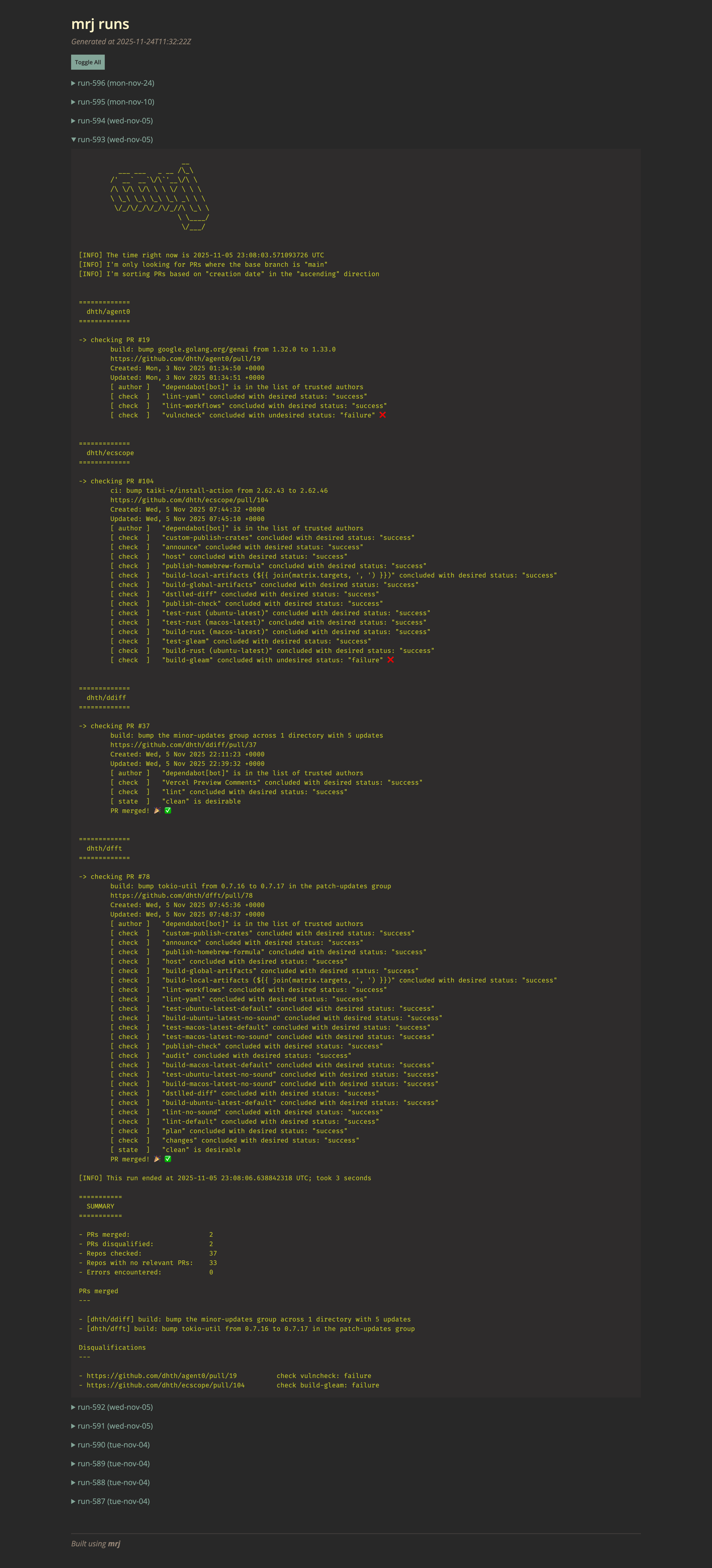
The report carried over all the properties of terminal output: lots of line-by-line narration, plenty of useful detail if I wanted to replay the run mentally, but not much help if all I wanted was a quick overview. Scrolling through qualification messages, timestamps, and repo banners, all rendered in monospace, is not a great way to quickly answer simple questions like these:
Which PRs got merged in the last run?
Which PRs couldn’t be merged, and why?
From replay to overview
That first version of the report was a perfectly reasonable place to start, but over time it became clear that what I wanted from it was different from what I wanted from logs. I didn’t need the report to be a repeat of the CLI narration. What I needed was a compact overview of what had happened, and a quick way to jump to the pull requests that needed follow-up.
That is the shift that clarified the problem for me. Logs are useful when you want narration. Reports are useful when you want outcomes. The original version of the report gave me a lot of the former and not much of the latter.
Here’s what the new report looks like. A live version can be seen here.
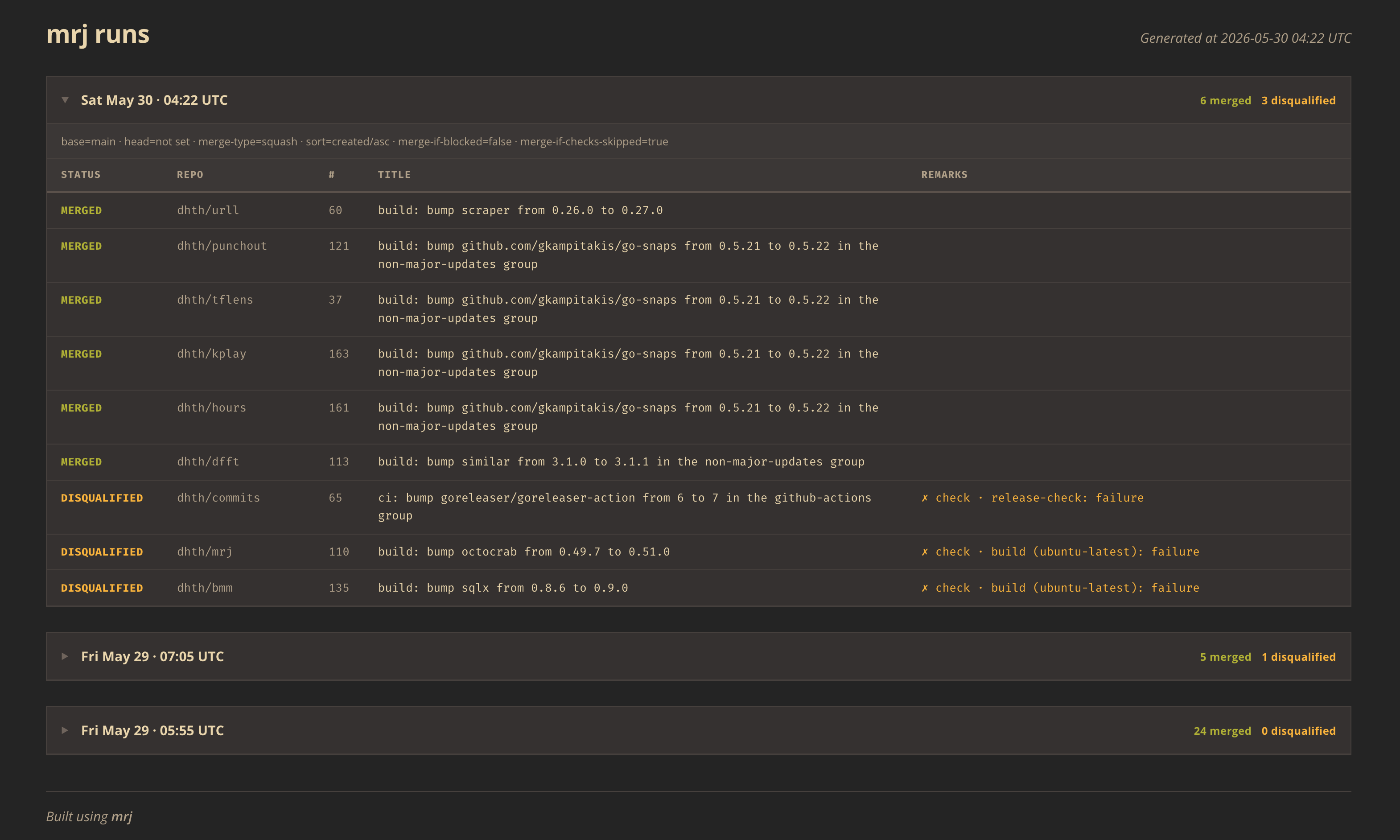
Instead of a wall of narrated output, each run now starts with a compact summary showing the number of merges and disqualifications. Older runs show those counts too, which makes them easier to scan from the overview alone. Each run includes a table of the relevant pull requests and their outcomes. From there, I can jump straight to the corresponding pull request on GitHub by clicking on a row. The report still carries some detail, but it does so in a way that keeps the outcome front and center.
That made the report much easier to use in practice. I no longer had to scroll through a replay of the run to figure out what needed my attention. It made me more likely to actually use the report to investigate whether any pull requests were getting stuck in the merge pipeline.
Separating logging from persistence
mrj was already shaped like a pipeline, in that it fetched and evaluated pull
requests, decided what to do with them, attempted to merge them, and built up a
data structure of the results. Beyond that point, it treated logging and
persistence as the same thing. To implement the reporting improvement, I added
another transformation step after the run results had been assembled. Logging
could keep printing those results as before, while persistence could turn them
into a stable structured format and write them to disk.
That stored data captures timestamps, the config and flags behind the run, a summary of the outcomes, and per-repository and per-pull-request records. The reporting layer can now rely on this structured data and render the new template. It also made the report generation path easier to test, since I could snapshot the rendered HTML against different persisted run inputs.
mrj is a fairly small tool, but I’m still glad I had structured it this way
early on. Improving the report did not require untangling the whole codebase. It
mostly meant adding one more stage to the pipeline and letting logging and
reporting operate on different views of the same data. That made me appreciate
the existing shape of the tool more than I did when I first wrote it.
This was a good reminder that even for a simple tool like mrj, it is worth
putting more thought into the eventual UX while putting the underlying
abstractions in place.