#010: Porting a graph database query tool from Python to Rust
At work, we use AWS Neptune as the database of choice for a knowledge graph. We also spin up local neo4j databases to test database migration code and run ad-hoc queries. I query these databases almost daily, and didn’t want to use a heavy database client for this, so I wrote graphc — a command line tool to query graph databases via an interactive console — a while back. This post covers the process of porting it from Python to Rust, and the reasons behind it.
The Original Implementation
The original Python version relied on three main dependencies:
neo4j - The official neo4j driver for Python. Support for quering Neptune databases was added by using AWS SigV4 to manually sign requests with AWS credentials.
pandas - For printing results and writing to the local filesystem. The neo4j Python package has built-in support to convert query results to a pandas DataFrame, which is quite convenient.
prompt-toolkit - For setting up the query prompt. This handles query completion, query history, and other prompt niceties.
So, what’s the issue? Well, I just don’t enjoy maintaining command line tools in Python. Low type safety in Python makes refactoring a pain. Error handling with exceptions is messy. Allowing for cancellation of in-flight queries would’ve required restructuring the entire codebase to be async. And, pandas felt like overkill for the use case — run a query, print or write the results.
I never wanted to write it in Python, but didn’t know of any other way to query AWS Neptune databases when I first encountered this use case. That changed when I learned about the Neptune Data API, which I got to know about from this recent AWS blog post. AWS SDKs for this API handle signing requests, connection pooling, connection management, and auto-retrying by themselves. Luckily, there’s a Rust crate for it as well, which gave me the green light to go ahead with the port.
The Port
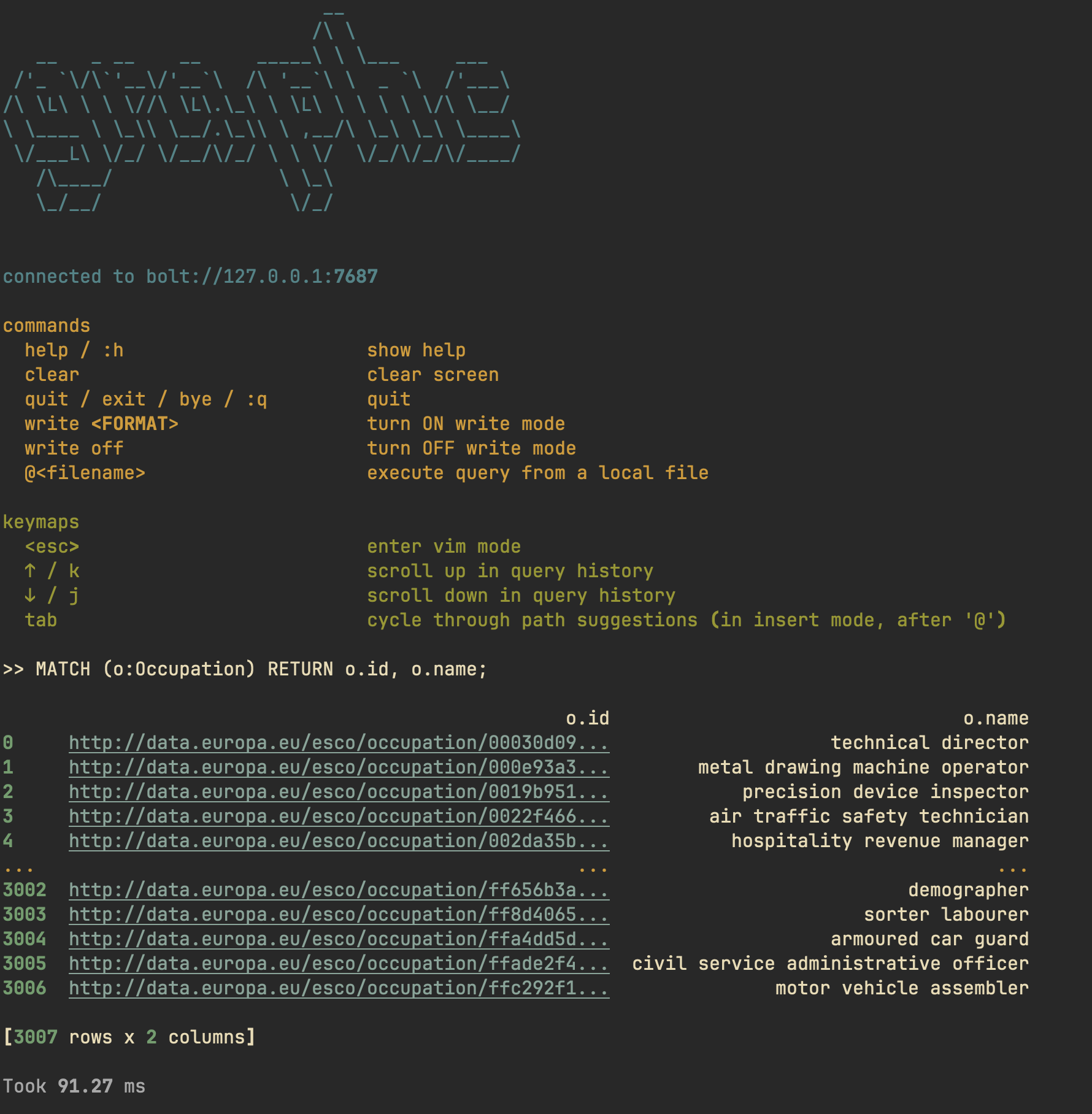
The Rust port — unimaginatively called grafq — works pretty much like the original implementation. It has two modes of operation: “console” and “query”.
Console mode
“console mode” lets you execute queries repeatedly via an interactive console. You can either print the results in the console, or have them piped through a pager. Additionally, you can also write the results to your local filesystem.
Query mode
“query mode” is for running one-off queries or for benchmarking them.
The Porting Process
The port to Rust brought meaningful improvements to the development process and usage of the tool, as described below. But, it wasn’t all smooth sailing.
The Wins
Easy cancellation
The Rust app is async by default, which makes query cancellation
straightforward. Using tokio, cancelling an in-flight query is as simple as
switching between two Futures: one for the query execution, and one from a
SIGINT signal handler. The resources associated with the in-flight request get
cleaned up automatically when its Future is dropped. I didn’t add cancellation
support in the Python version because I didn’t want to make the entire app
async.
Error handling
Rust’s error handling model is leagues ahead of Python’s exception-based approach. Errors are algebraic data types and are easier to reason about. Due to this, I’m able to show helpful error messages and follow up hints to the user.
Shell integration
I wanted to pipe results through a user-chosen pager, which involves shelling out. This just feels more robust to do in Rust.
Distribution
Shipping a single binary is a meaningful improvement over the Python solution, even though the tooling for packaging Python apps has come a long way (thanks to Astral).
Faster startup times and lower memory usage
This will not come as a surprise to anybody. The Rust app starts up faster than the Python one, and consumes less memory (~20MB v. ~100MB).
The Friction Points
Deserialization and conversion
In Python, neo4j automatically handles deserializing query results to a pandas Dataframe. pandas has built-in support for printing nice looking tables, and writing to JSON/CSV files. In Rust, I had to compose this myself using serde_json, tabled, and csv crates. It’s more manual work, but it does give me fine-grained control over it, which means I can architect data flow better and test it easily. I prefer the lower level control. That said, pandas is a mature library with extensive data processing capabilities (filtering, aggregation, transformation, etc.). If the use case evolves to need more sophisticated data processing beyond printing and basic file I/O, I might find myself reaching for polars, a dataframe processing crate in the Rust ecosystem.
The prompt library hunt
Setting up the interactive prompt proved trickier than expected. Popular Rust crates for this use-case like inquire and dialoguer work as expected in a native shell, but exhibit some weird behaviour when run in a tmux session. They struggle with pasting, causing character duplication. In Python, the prompt-toolkit package handles this elegantly. Since pasting opencypher queries into the prompt is a common workflow for this tool, I had to get this one right. After trying out a bunch of crates, rustyline turned out to be the right fit.
Summary
The port wasn’t strictly necessary; the original Python app worked fine. But sometimes, it’s fun to port stuff just to compare ecosystems. Having said that, there are some clear cut benefits of writing the app in Rust, related to maintenance and future development. The codebase is now easier to reason about. Errors are explicit. Handling asynchronicity is easier. Most importantly, I feel happier maintaining and making changes to the Rust codebase than I did to the original Python one, and that’s good enough of a reason for me to justify the port 😉.